
AI coding assistants have transformed how developers write, debug, and optimize code. These intelligent tools act as collaborative partners, suggesting completions, identifying bugs, and explaining complex logic in real time. Whether you are a seasoned engineer or just starting your coding journey, the right AI assistant can significantly boost your productivity and help you learn new skills faster.
This guide explores the best options available, examines the features that matter most, and shows you how to integrate these tools effectively into your development workflow.
Also read: The AI Revolution Accelerates: What's Next for Everyday Life and Beyond.
What to Look for in an AI Coding Assistant
Not all AI coding assistants are created equal. Understanding the key features will help you make an informed decision that aligns with your specific needs.
Context awareness is perhaps the most critical factor. The best tools understand your entire codebase, not just the file you are currently editing. This enables more accurate suggestions that consider how your changes will interact with existing code.
Language support matters if you work across multiple programming languages. Some assistants excel at Python but struggle with less common languages. Check that your primary languages are well-supported before committing.
IDE integration determines how seamlessly the tool fits into your existing workflow. Most top assistants support major IDEs like VS Code, JetBrains IDEs, and Visual Studio, but the depth of integration varies.
Privacy and security features deserve careful consideration, especially if you work with proprietary code. Look for clear policies about how your code is processed and whether suggestions are trained on your inputs.
Pricing ranges from free tiers for individual developers to expensive enterprise plans. Many tools offer generous free versions suitable for personal projects or small teams.
Top AI Coding Assistants for Developers
Several tools stand out in the current market. Here are the most capable options worth considering:
- GitHub Copilot — Powered by OpenAI’s Codex model, this assistant integrates with VS Code, Visual Studio, JetBrains IDEs, and Neovim. It excels at context-aware code suggestions and supports dozens of languages. The subscription includes access to GitHub Copilot Chat for conversational assistance.
- Amazon CodeWhisperer — Amazon’s offering provides real-time code recommendations and supports multiple languages. A generous free tier makes it accessible for individual developers. It includes security scanning to identify potential vulnerabilities in your code.
- Tabnine — This assistant uses machine learning to predict and complete code snippets. It offers both a free version with basic features and a Pro version with advanced context understanding across your entire codebase.
- Cursor — Built as an AI-first code editor, Cursor combines a modified version of VS Code with powerful AI capabilities. It handles complex refactoring tasks and can explain code sections through chat interactions.
- Anthropic Claude — While not exclusively a coding tool, Claude 3.5 Sonnet demonstrates strong reasoning capabilities for code analysis, debugging, and explanation. Many developers use it alongside traditional coding assistants.
Each tool has distinct strengths. GitHub Copilot benefits from deep GitHub integration. CodeWhisperer offers excellent security features. Cursor provides a fresh approach to AI-assisted editing. The best choice depends on your specific workflow and requirements.
Integrating AI Tools into Your Workflow
Adopting an AI coding assistant requires more than installing an extension. Thoughtful implementation ensures you get maximum benefit while maintaining your skills.
Start with non-critical projects when first adopting a new tool. This lets you learn its capabilities and limitations without pressure. You will quickly discover which suggestions are helpful and which you should ignore.
Configure settings to match your style. Most tools allow customization of suggestion aggressiveness, keybindings, and context preferences. Take time to adjust these options for your workflow.
Use suggestions as learning opportunities. When an AI suggests code you would not have written, take a moment to understand its approach. This accelerates learning and expands your toolkit.
Maintain your problem-solving skills by intentionally solving some challenges without AI assistance. Over-reliance can atrophy your debugging and analytical abilities.
Review and refine your usage regularly. Track which features actually improve your productivity and which are distractions. Most developers find certain capabilities invaluable while ignoring others entirely.
The goal is partnership, not dependency. The best developers use AI as a powerful tool while retaining full understanding and control of their code.
Conclusion
AI coding assistants represent a significant advancement in developer productivity. The right tool can accelerate your coding, reduce bugs, and help you learn new techniques. With many excellent options offering free tiers, experimentation carries minimal risk.
Consider your specific needs: the languages you use, your IDE preferences, and your privacy requirements. Start with a free version, integrate it gradually into your workflow, and adjust your approach as you learn what works best.
As AI technology continues advancing, these tools will become even more capable and integrated into daily development practice. The future of coding is collaborative, combining human expertise with AI capabilities for better outcomes.
Related Articles
- The AI Revolution Accelerates: What's Next for Everyday Life and Beyond
- Best Free AI Agents for Everyday Tasks
- Top AI Music Generators for Royalty-Free Tracks
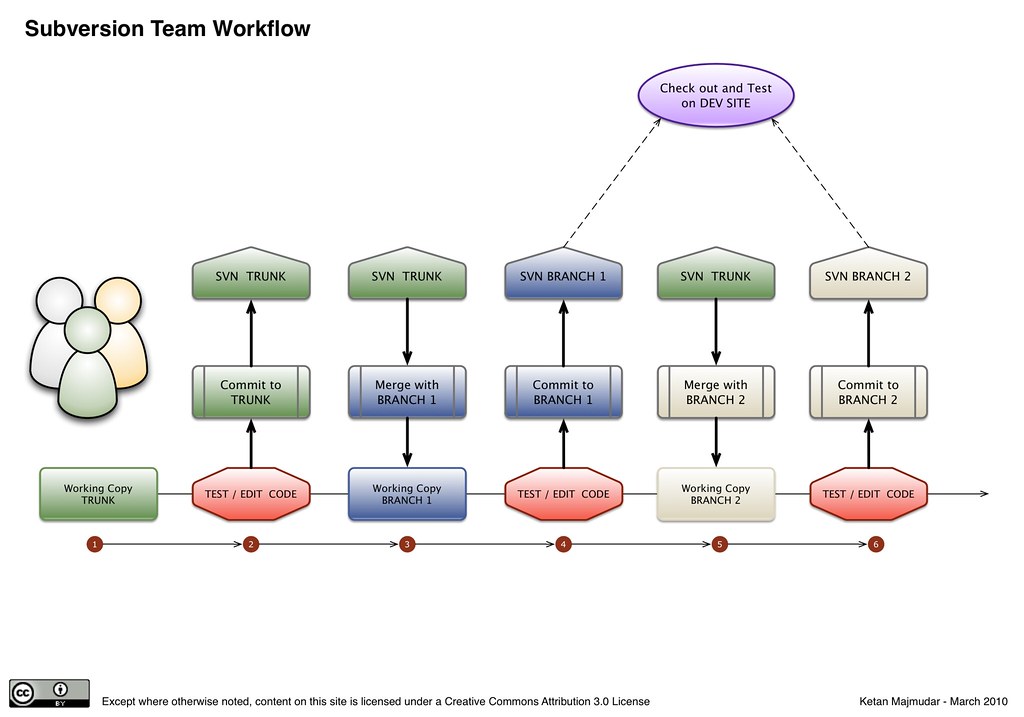
Featured image credit: spiritquest (BY 2.0) via Openverse.